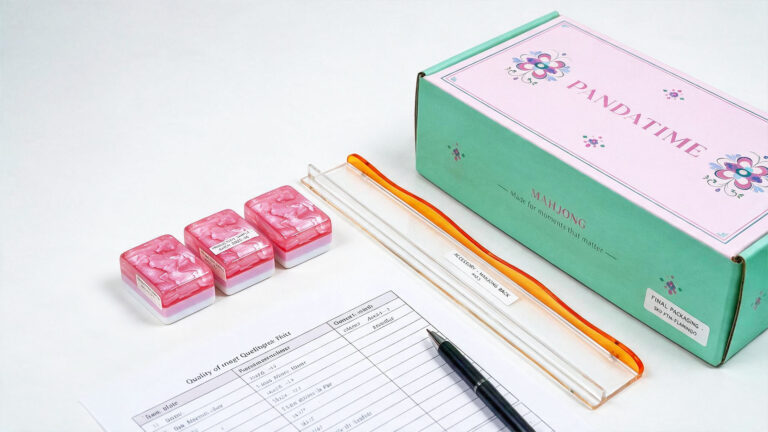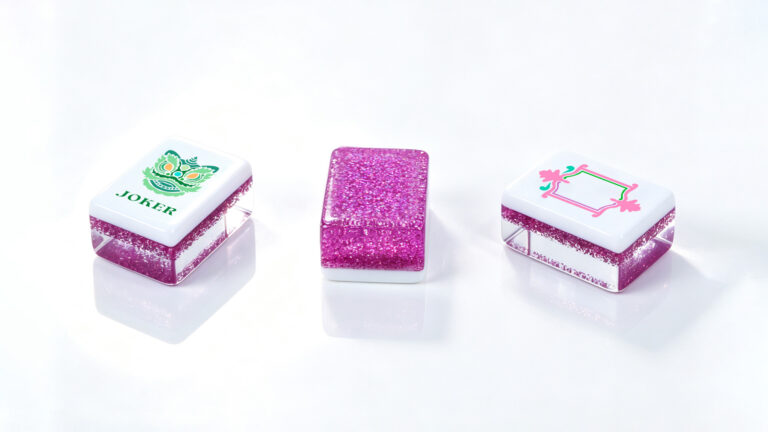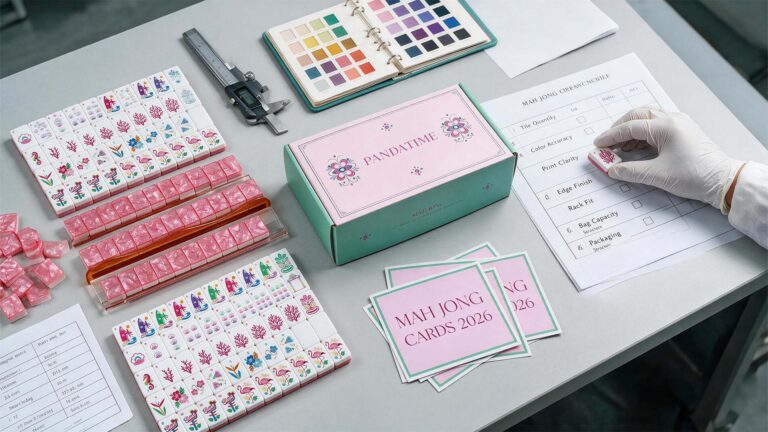

A custom American Mahjong set begins as artwork, but artwork alone is not a production-ready instruction. A supplier must be able to identify every face, connect it to the right quantity and surface, reproduce approved colors, and distinguish the current revision from outdated files. When that control system is missing, even an attractive design can create avoidable questions, proofing delays, or inconsistencies between tiles and packaging.
This prepress guide explains how brands, retailers, and product teams can organize custom Mahjong artwork for supplier review. It focuses on decisions a buyer can control before requesting a quotation or sample. Exact templates, accepted file formats, printable areas, color processes, and production tolerances vary by supplier and construction, so confirm them with the factory before finalizing artwork.
Why Custom Mahjong Artwork Is a Production Control Document
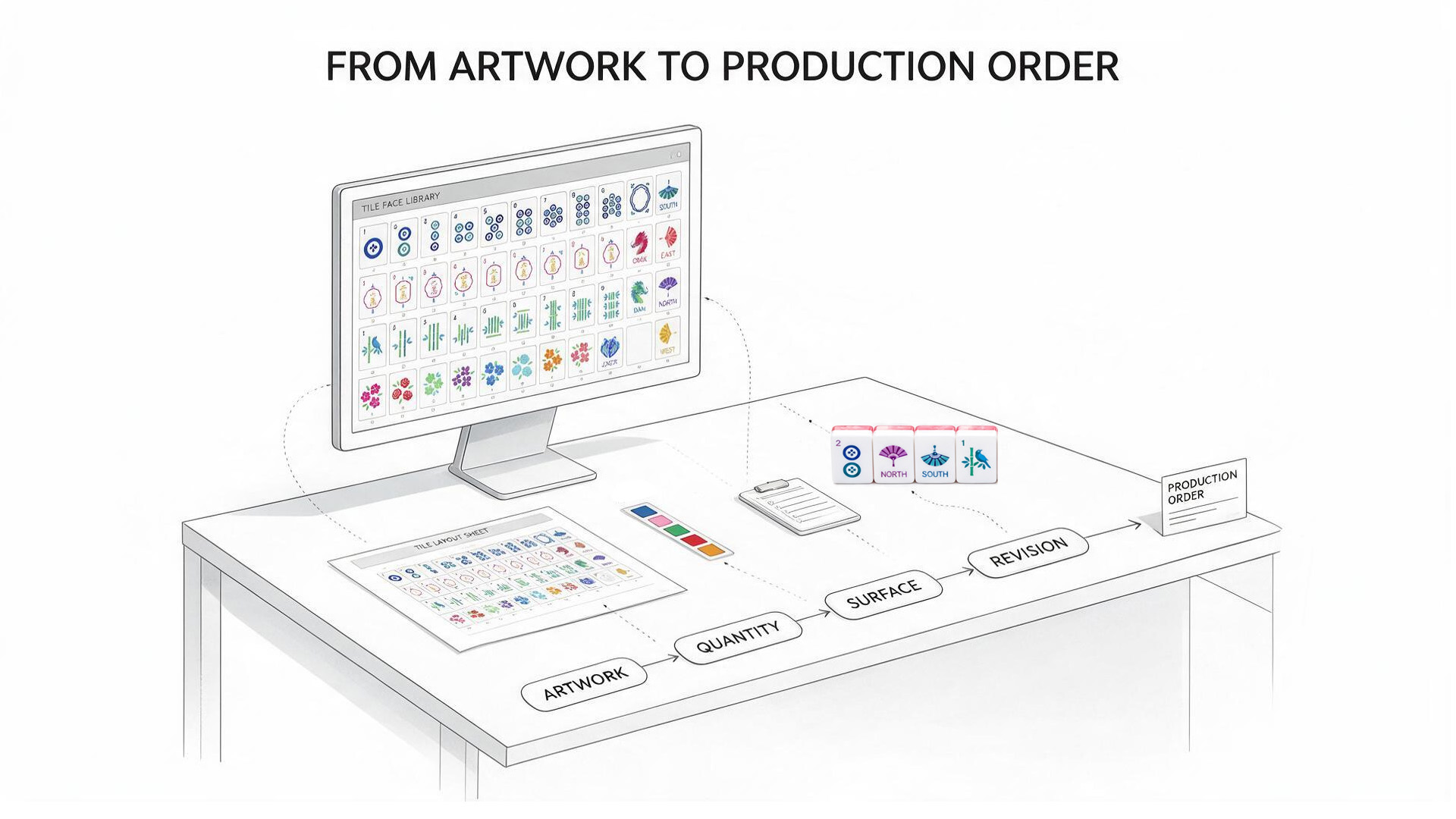
Each tile face is both a visual asset and a production instruction. The artwork package should answer four questions without guesswork: What is this face? How many belong in the set? Which surface receives the design? Which revision is approved?
A complete handoff reduces interpretation. It also helps purchasing, design, packaging, and supplier teams review the same source of truth. That matters when a project includes numbered suits, winds, dragons, flowers, jokers, spare tiles, brand marks, and packaging components.
Start the visual work only after defining the product scope. TOPRAY’s custom American Mahjong development guide outlines the wider sequence from concept through samples and production. The artwork package described here supports that process; it does not replace engineering confirmation or a physical sample.
Build a Master Artwork Map Before Designing
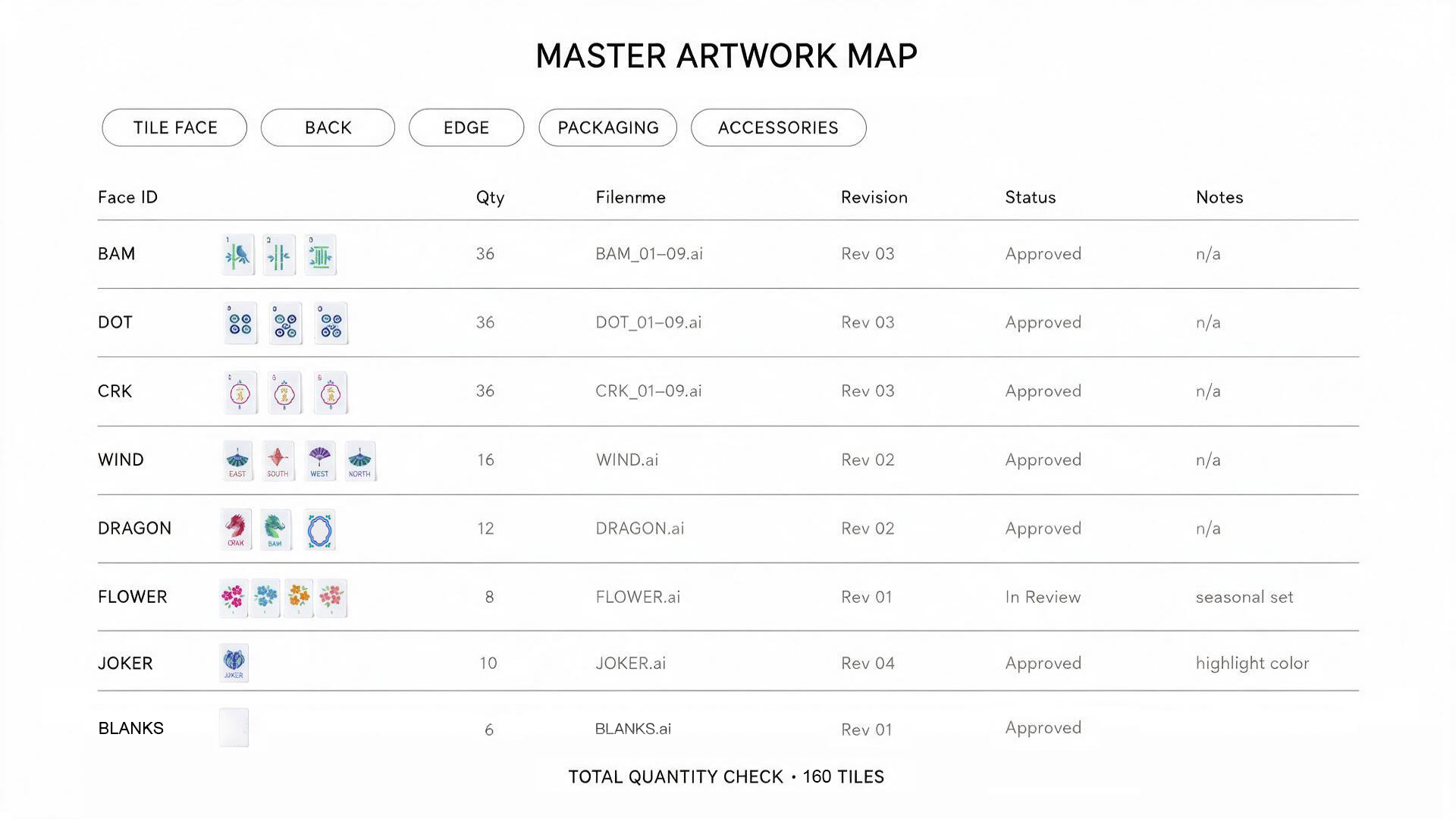
Create a spreadsheet or table that lists every unique face and its planned quantity. Use stable identifiers such as BAM-01, DOT-01, CRK-01, WIND-E, DRAGON-R, FLOWER-01, and JOKER-01. Your naming convention may differ, but it should remain consistent across the artwork, preview PDF, quotation request, proof comments, and sample review.
Record Face IDs and Quantities
For each ID, record the face name, quantity, artwork filename, current revision, approval status, and notes. Add a total-quantity check at the bottom. This catches omissions and duplicate assignments before the supplier builds a proof.
A visual thumbnail beside each ID can eliminate ambiguity. If the set includes spare or alternate tiles, identify them explicitly rather than placing them in an unlabeled “extras” folder.
Separate Surfaces and Components
Identify whether an asset applies to the tile face, back, edge, rack, pusher, storage component, carton, insert, label, or instruction material. Keep these components in separate folders while using a shared project code. This prevents packaging art from being mistaken for a tile-face revision.
Prepare a Supplier-Reviewable File Package
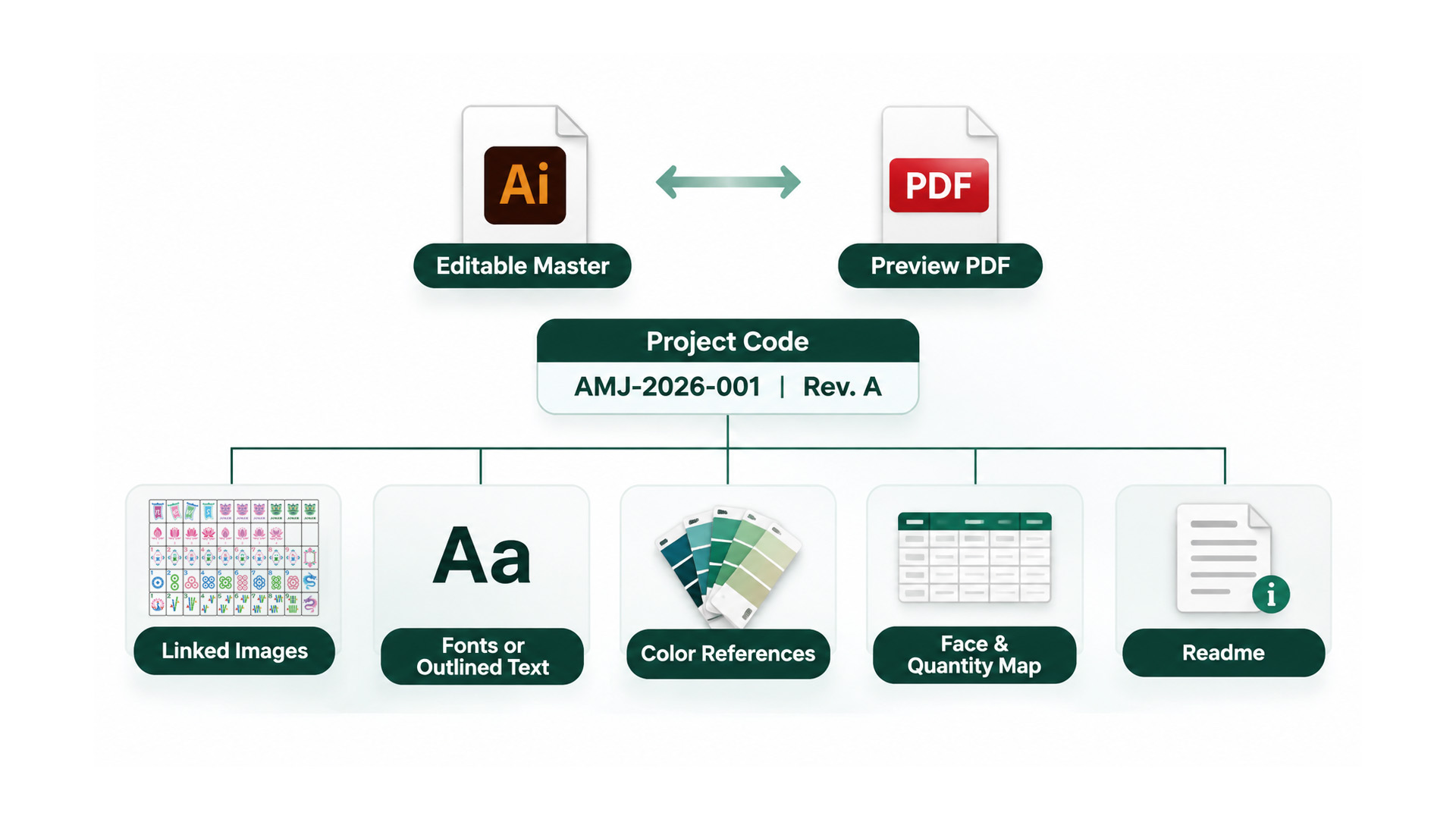
Ask the selected supplier which source formats, PDF standard, linked-asset method, font treatment, template, and color references it accepts. The correct setup depends on its prepress workflow and production method.
A practical handoff package usually contains:
- An editable master file organized by face ID or component.
- A clearly named preview PDF showing every face in order.
- All linked images at the resolution requested by the supplier.
- Fonts or outlined text, subject to font licensing and supplier instructions.
- Defined color values plus any approved physical color reference.
- A face-and-quantity map that matches the quotation scope.
- A readme containing project code, revision, date, owner, and open questions.
The preview PDF is for human checking; the editable master is for technical preparation. Both should display the same revision. Adobe explains that PDF/X workflows are designed to reduce print-production variables involving color and fonts, but the appropriate PDF/X setting must be agreed with the production provider. See Adobe’s official guidance on creating Adobe PDF files in Illustrator.
Design for Playability, Not Only Shelf Appeal
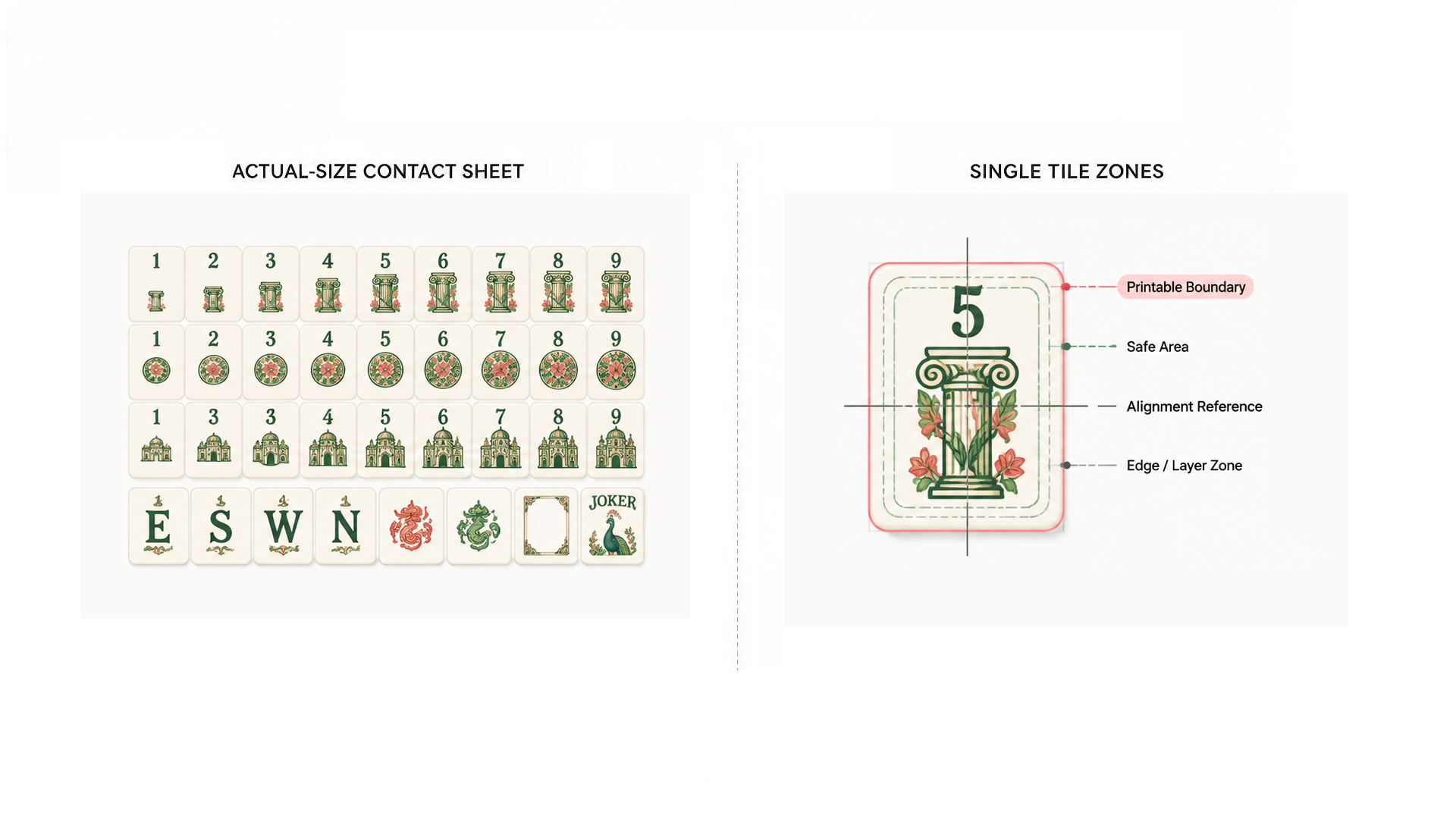
A set can look distinctive in a product photo and still be difficult to scan during play. Review each family of tiles at actual intended size, not only as enlarged screen artwork. Compare neighboring values within each suit and look for symbols that become similar when reduced.
Maintain a clear hierarchy between suit symbol, number, optional index, and decorative elements. Use consistent placement and orientation rules. Check fine lines, tiny counters, low-contrast combinations, and reversed or rotated symbols. A contact sheet displaying all faces together is more useful for this review than isolated beauty renders.
Confirm Safe Areas, Edges, and Layer Transitions
Request the supplier’s current template before applying final dimensions. Mark the trim or printable boundary, safe area, alignment references, and any edge or layer zones that must remain clear. If the tile construction has visible layers or a distinct back, confirm how face artwork aligns with those features.
Do not infer bleed, minimum line width, registration tolerance, or edge clearance from another factory’s template. Record each confirmed requirement in the readme and lock the approved template version.
Control Color Across Screen, Proof, and Sample
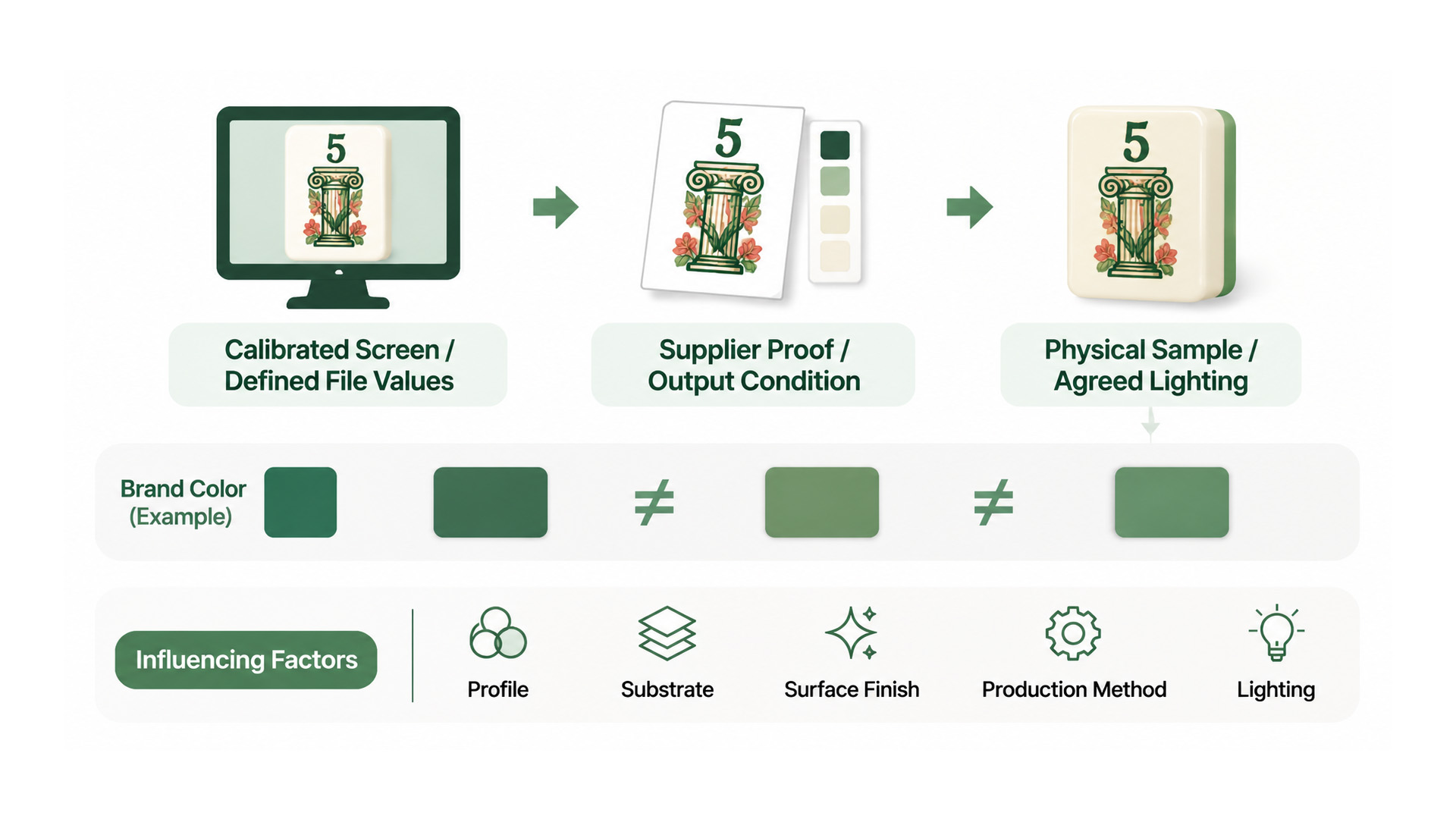
Color values on a monitor are not a guaranteed prediction of a physical result. Display calibration, file profiles, substrate color, surface finish, production method, and lighting all affect appearance. Define which elements require close matching and which may use process color.
Keep color names consistent across tile and packaging files. If a brand color is critical, provide an agreed physical reference or recognized color specification and ask how the supplier will evaluate it. Adobe’s official overview of color-managing documents for print explains why profiles and output conditions matter when colors move between devices and production processes.
Approve color at the appropriate stage. A digital PDF can confirm content and position, but a physical sample is the stronger reference for material interaction, surface appearance, and real-world lighting. Document any acceptable variation with the supplier rather than relying on phrases such as “match the screen.”
Clear Logos, Illustrations, Fonts, and Other Rights
The buyer should confirm that it owns or is licensed to use every logo, illustration, photograph, pattern, typeface, character, and third-party mark included in the project. A trademark can identify the source of goods or services; the USPTO trademark basics provide a useful starting point. Copyright may protect original visual works; the U.S. Copyright Office circulars explain core copyright topics.
Keep license records with the project and state any territorial, channel, duration, or modification restrictions. Supplier acceptance of a file is not legal clearance. For licensed properties or uncertain ownership, obtain advice from qualified counsel before production.
Use Version Control That Survives Email and Team Changes
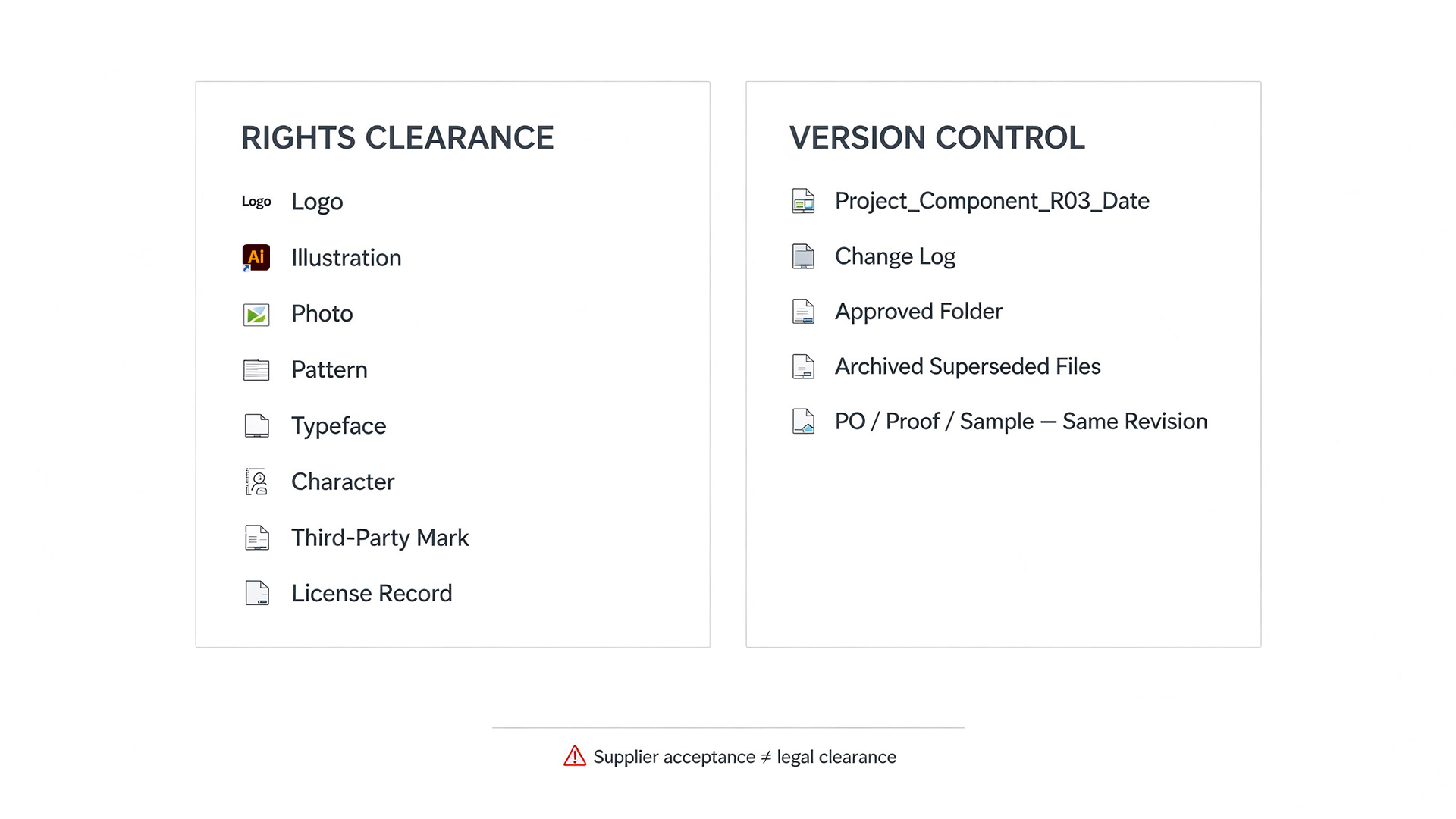
Use filenames that include the project, component, revision, and date, such as BRAND_TILE-FACES_R03_2026-10-03. Avoid names such as final, final2, or latest. Maintain a change log describing what changed, who requested it, and which proof or sample it replaces.
Create one approval folder and make it read-only for general collaborators. When a revision is superseded, archive it rather than mixing it with current production files. The purchase order, approved proof, sample approval, and master artwork should all point to the same revision code.
Approve in Stages: Preflight, Proof, and Physical Sample
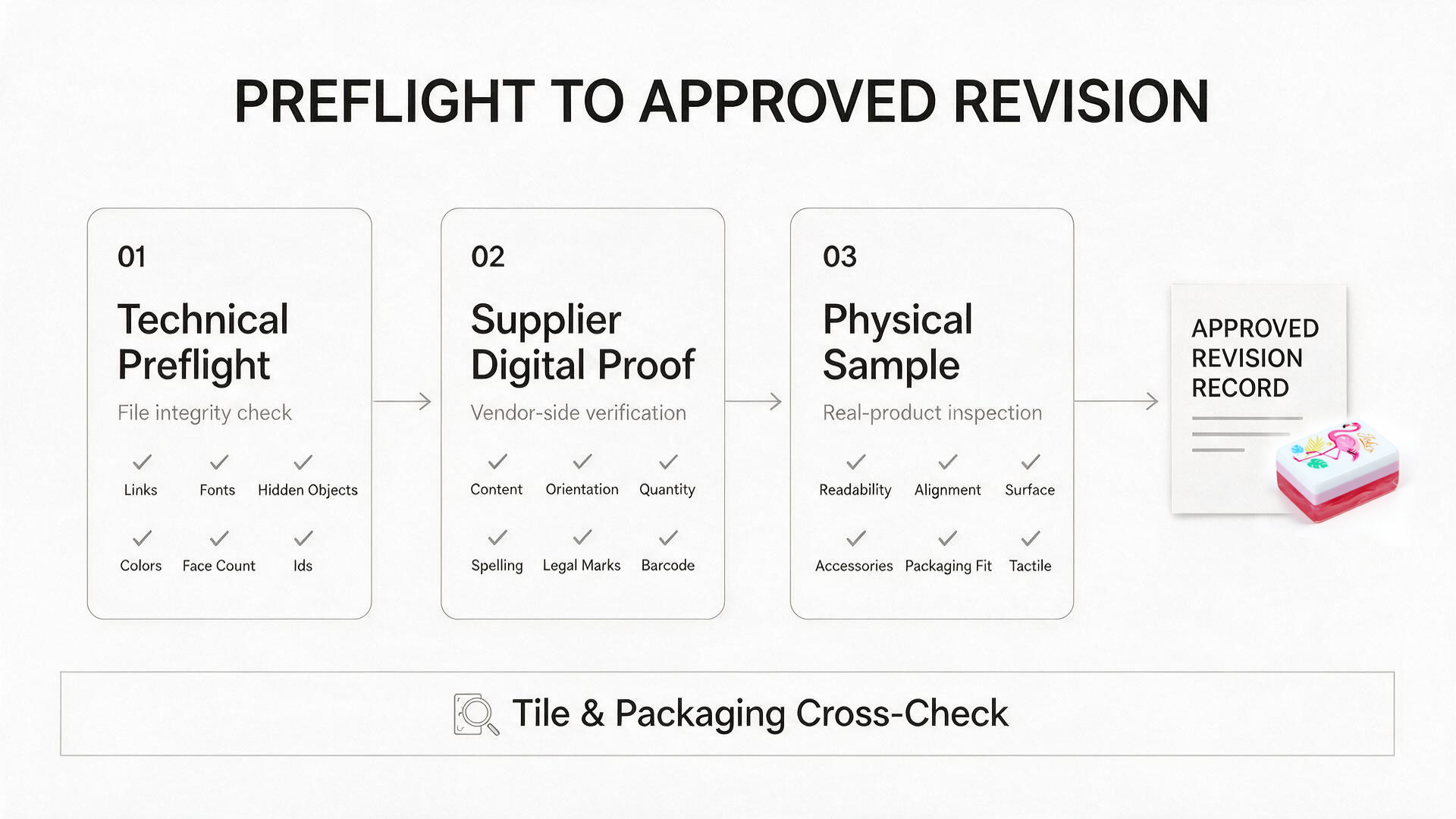
Technical Preflight
Before submission, check missing links, unresolved fonts, hidden objects, unintended transparency, color definitions, face counts, duplicate IDs, and filename consistency. Confirm that the preview PDF matches the editable source.
Supplier Digital Proof
Review every face and component, not just a representative page. Check content, orientation, quantities, positioning, spelling, legal marks, barcodes, and packaging copy. Return one consolidated comment list with annotated references to face IDs and revision numbers.
Physical Sample and Approval Record
Evaluate the sample under normal lighting and in actual play. Check readability, face-to-face consistency, alignment, surface appearance, tile and accessory interaction, and packaging fit. TOPRAY’s guide to inspecting acrylic Mahjong tiles provides a broader framework for sample and incoming-quality review.
Coordinate Tile and Packaging Artwork
Packaging must describe the same set the supplier is making. Cross-check product name, tile count, included accessories, warnings or origin statements where applicable, barcode data, SKU, and language versions. Requirements depend on the product and destination market, so the buyer should confirm them with appropriate compliance professionals.
What to Send with an RFQ or Artwork Review Request
Send the artwork map, preview PDF, editable source package, desired construction or material direction, planned packaging scope, target market, quantity assumptions for quotation, and a list of questions requiring supplier confirmation. Clearly label items that are references rather than approved specifications.
When comparing factories, evaluate how they handle questions and revisions, not only whether they accept a file upload. The American Mahjong manufacturer evaluation guide covers broader supplier assessment, while TOPRAY’s customization service page shows where to begin a project discussion.
Common Artwork Handoff Mistakes
- Sending only flattened previews with no editable source.
- Using inconsistent face names across files and quantity lists.
- Leaving alternate designs in the production folder without status labels.
- Approving color from an uncalibrated screen alone.
- Changing artwork after sample approval without a new revision.
- Assuming another supplier’s template and tolerances apply.
- Ignoring packaging updates after tile-face changes.
- Using logos, fonts, or illustrations without documented rights.
Frequently Asked Questions
What file format should I use for custom Mahjong artwork?
Use the editable and proof formats confirmed by your supplier. Ask for its current template and prepress checklist before final export. Keep a readable preview PDF and a face map with the source package.
Should text be converted to outlines?
It may help prevent font substitution, but outlining affects editability and does not resolve licensing obligations. Follow the supplier’s instructions, retain an editable master, and keep font-license records.
Can a digital proof replace a physical sample?
A digital proof is useful for content, order, and position. It cannot fully demonstrate how color, finish, material, and production conditions will look or feel. Use a physical sample when those factors affect approval.
How should I manage changes after sample approval?
Issue a new revision, identify every changed face or component, request an updated proof or sample as appropriate, and document which prior approval is superseded. Never replace files silently.
Who is responsible for artwork rights clearance?
The buyer should verify ownership or licensing and obtain legal advice when needed. A supplier’s technical review does not establish permission to use a trademark, illustration, font, or other protected material.
Prepare Your Artwork for a Productive Supplier Review
A disciplined artwork package gives both buyer and supplier a clearer basis for quotation, proofing, sampling, and approval. It cannot remove every production variable, but it can make decisions traceable and reduce preventable ambiguity.
If you are developing a branded American Mahjong set, send TOPRAY your face map, preview PDF, construction direction, packaging scope, and open technical questions. Contact TOPRAY to request an artwork review and discuss the next step toward a quotation or sample. Final specifications, commercial terms, and production requirements will be confirmed for the individual project.